

Convert
Move balance between wallets across any currency pair — crypto to crypto, crypto to fiat, fiat to crypto, or fiat to fiat — at BEEM's quoted rate.
Convert moves balance between two of your BEEM wallets across any currency pair. Crypto to crypto, crypto to fiat, fiat to crypto, or fiat to fiat — Convert handles them all at BEEM's quoted rate.
Use Convert to settle inbound crypto into fiat for accounting, top up a wallet in a different currency, rebalance treasury exposure, or move funds between two assets you already hold.
What Convert needs
Convert moves balance between two existing wallets: one to draw from (the source), and one to receive (the destination). If you do not yet hold a wallet in the currency you want to convert into, create one first — Convert does not create new wallets, it just moves balance between them.
How Convert works
Convert is a two-step flow: Get Quote first, then Execute.
- Select the source and destination wallets, enter the amount, and click Get Quote.
- BEEM returns a locked exchange rate and the exact amount you will receive. The quote is valid for 60 seconds.
- Review the figures and click Execute to commit. If the quote expires before you execute, simply request a new one.
The rate is locked at the moment you click Execute. Once executed, the source wallet is debited and the destination wallet is credited.
Convert in the Portal
- Sign in to the Account Portal.
- Go to Wallets in the left navigation.
- Click Convert — either the button at the top of the Wallets page, or the Convert action on a specific wallet row. The Convert dialog opens.
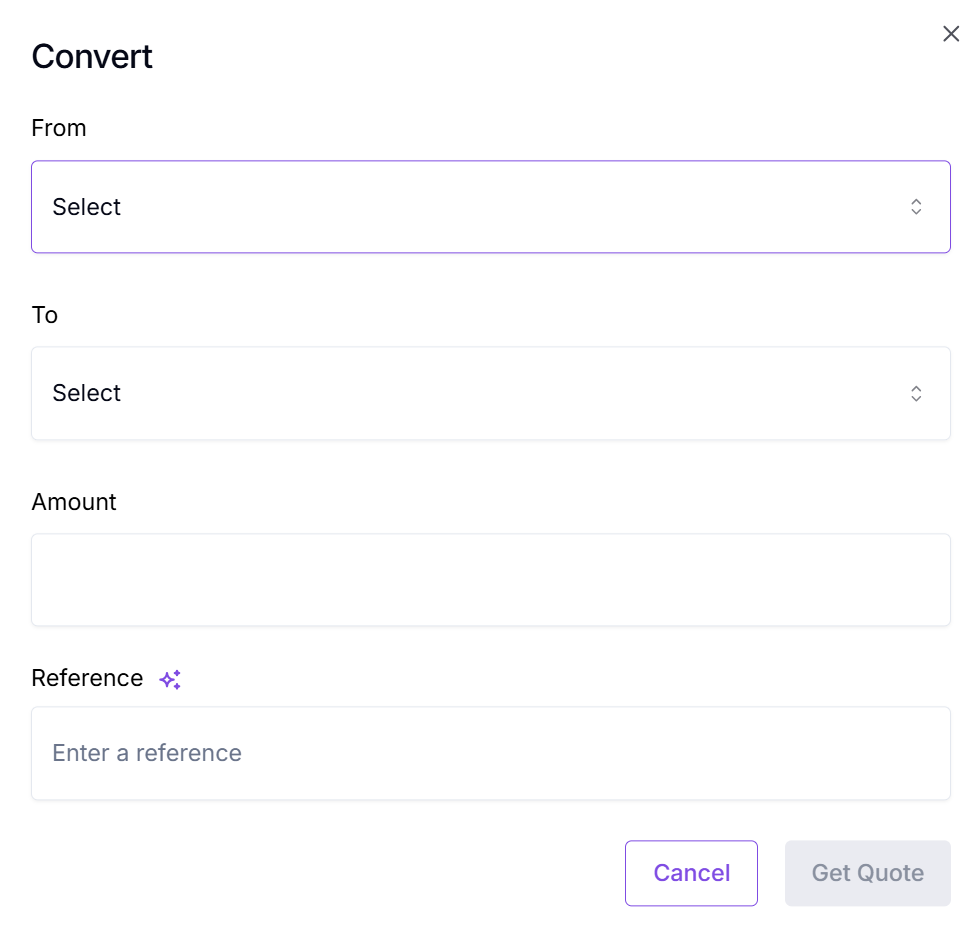
The Convert dialog. From, To, Amount, Reference.
- Complete the form:
| Field | Description |
|---|---|
| From | The wallet to draw from. Each wallet in the dropdown shows its current balance. |
| To | The wallet to credit. The dropdown lists every wallet on your account other than the source. |
| Amount | The amount to convert, denominated in the From wallet's currency. |
| Reference | Your internal label for the conversion. Click the sparkle icon to auto-generate one. |
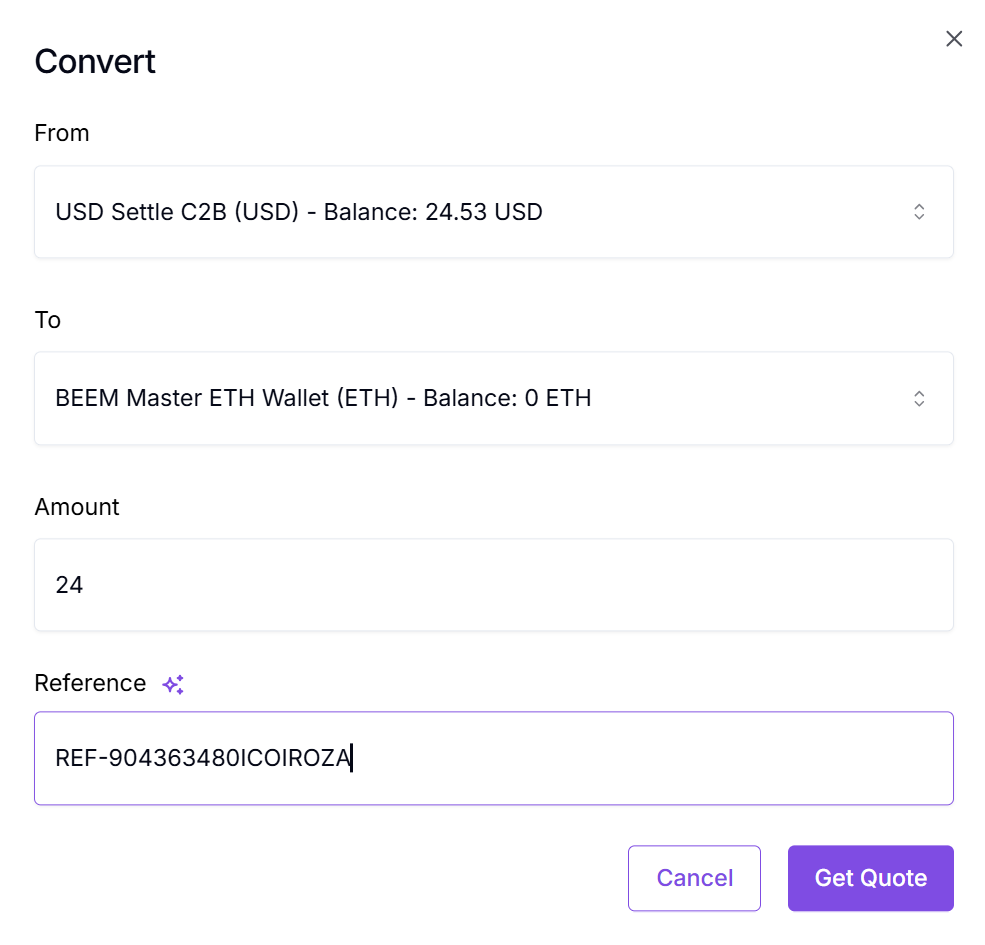
A completed Convert form. Click Get Quote to lock a rate.
- Click Get Quote. The Convert review screen appears.
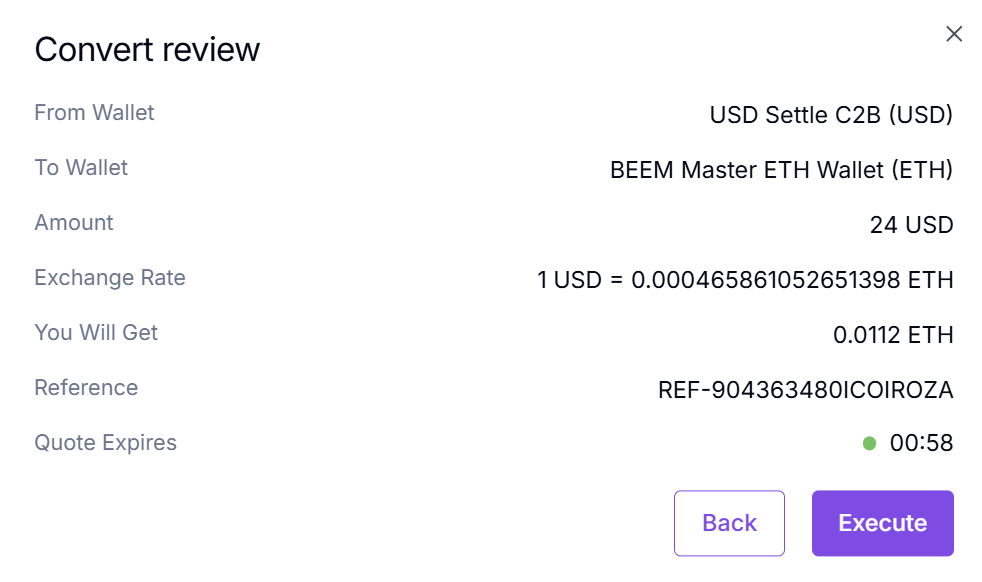
Convert review. The quote expires in 60 seconds — click Execute before then to commit.
- Review the quote:
| Field | What it shows |
|---|---|
| From Wallet | The source wallet selected. |
| To Wallet | The destination wallet. |
| Amount | The amount being converted, in the source currency. |
| Exchange Rate | The locked rate for this conversion. |
| You Will Get | The exact amount that will land in the destination wallet. |
| Reference | Your internal label. |
| Quote Expires | A 60-second countdown. Once it hits zero, the quote is no longer valid and you must request a new one. |
- Click Execute to commit, or Back to start over.
Once executed, the source wallet balance drops by the amount converted; the destination wallet balance rises by the You Will Get amount.
No network fee on ConvertConvert is an internal balance move between two of your BEEM wallets — it does not touch the blockchain. There is no on-chain transaction and no network fee. Any FX cost is already reflected in the You Will Get amount shown on the review screen.
What's next
Updated 5 months ago