

Adding USDT (TRC20)
Import and mint BEEM's test USDT TRC20 token (LAYER1) into your TronLink wallet.
To get test USDT (TRC20), you mint BEEM's test token directly from its smart contract on the Nile testnet via Tronscan. The token is labelled LAYER1 and behaves identically to USDT TRC20 for testing purposes.
Test TRX is requiredMake sure you have test TRX in your TronLink wallet before starting — see Adding TRON (TRX). Tron transactions require TRX for gas.
Steps
- Go to nile.tronscan.org and connect your TronLink wallet by selecting Connect Wallet in the top right.
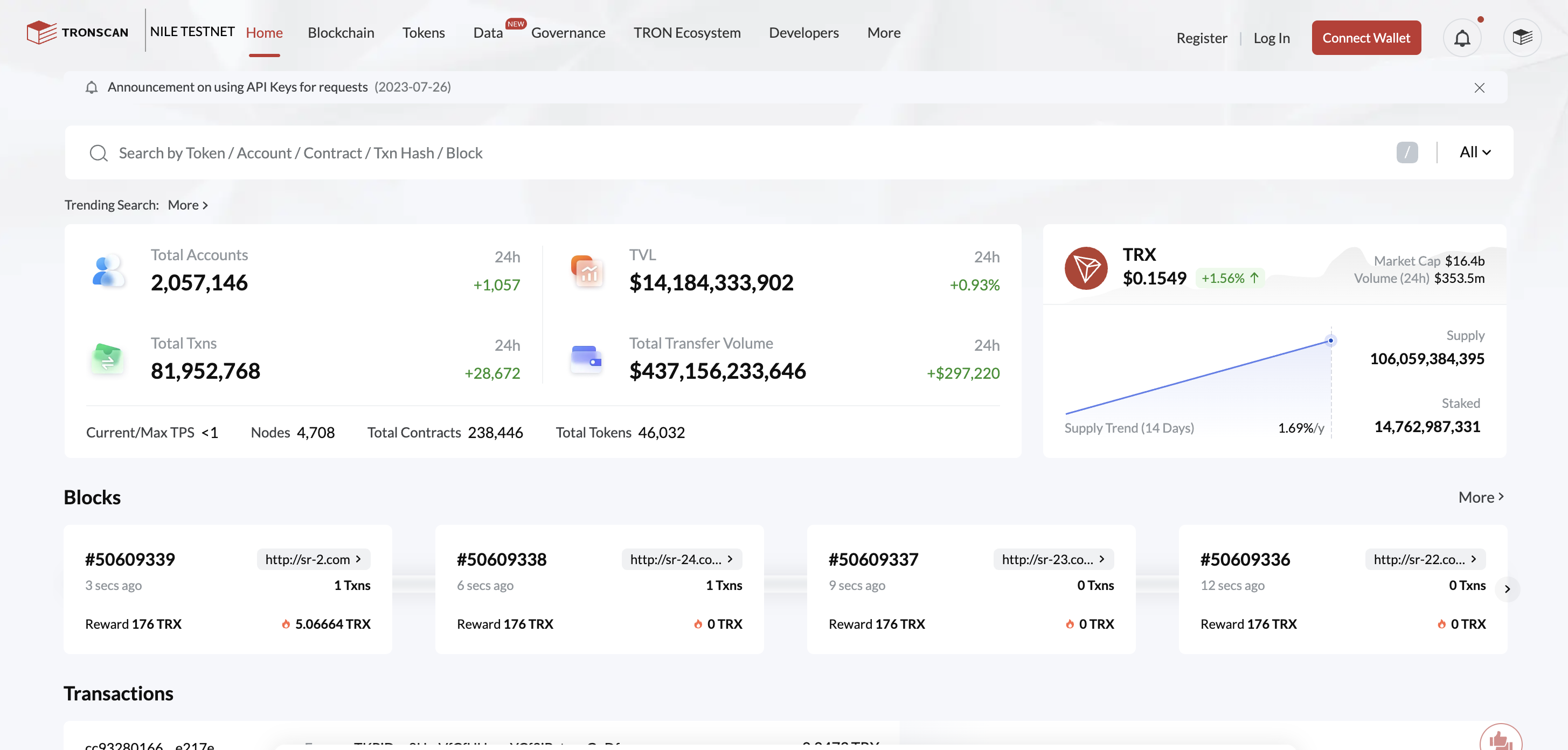
Connecting TronLink to Nile Tronscan
- Paste the contract address below into the search bar:
TY1DBj7Ys1bDcK37kwATaQpHxdTCnYrr1f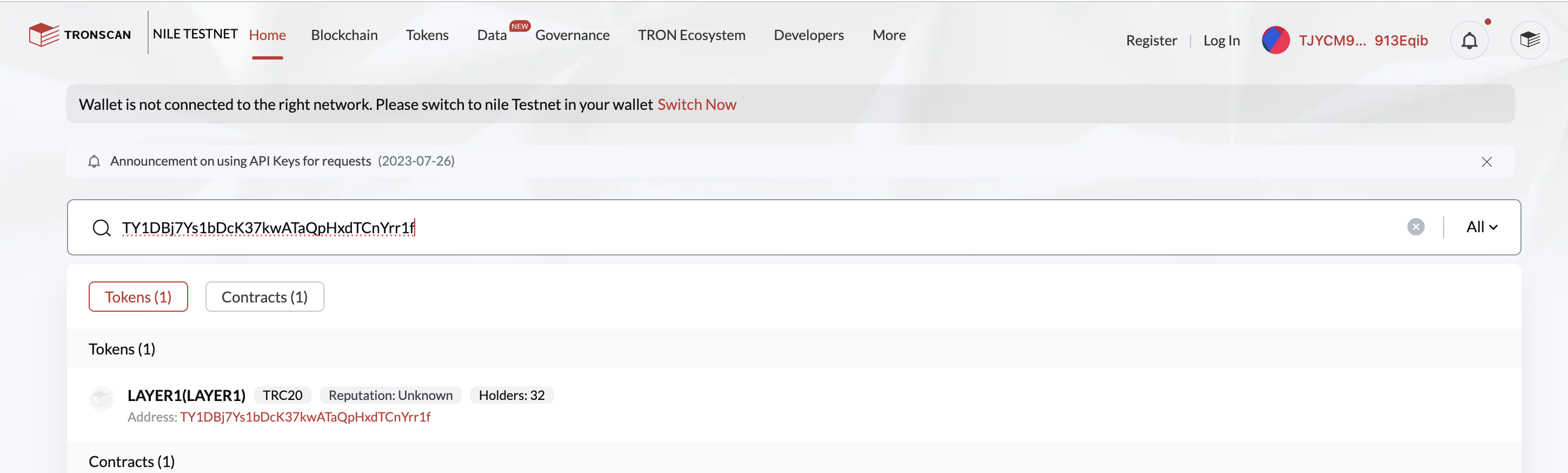
Searching for the LAYER1 token contract
- You will see a token called LAYER1 — BEEM's test USDT TRC20 token. Open it and select Contract, then Write Contract.
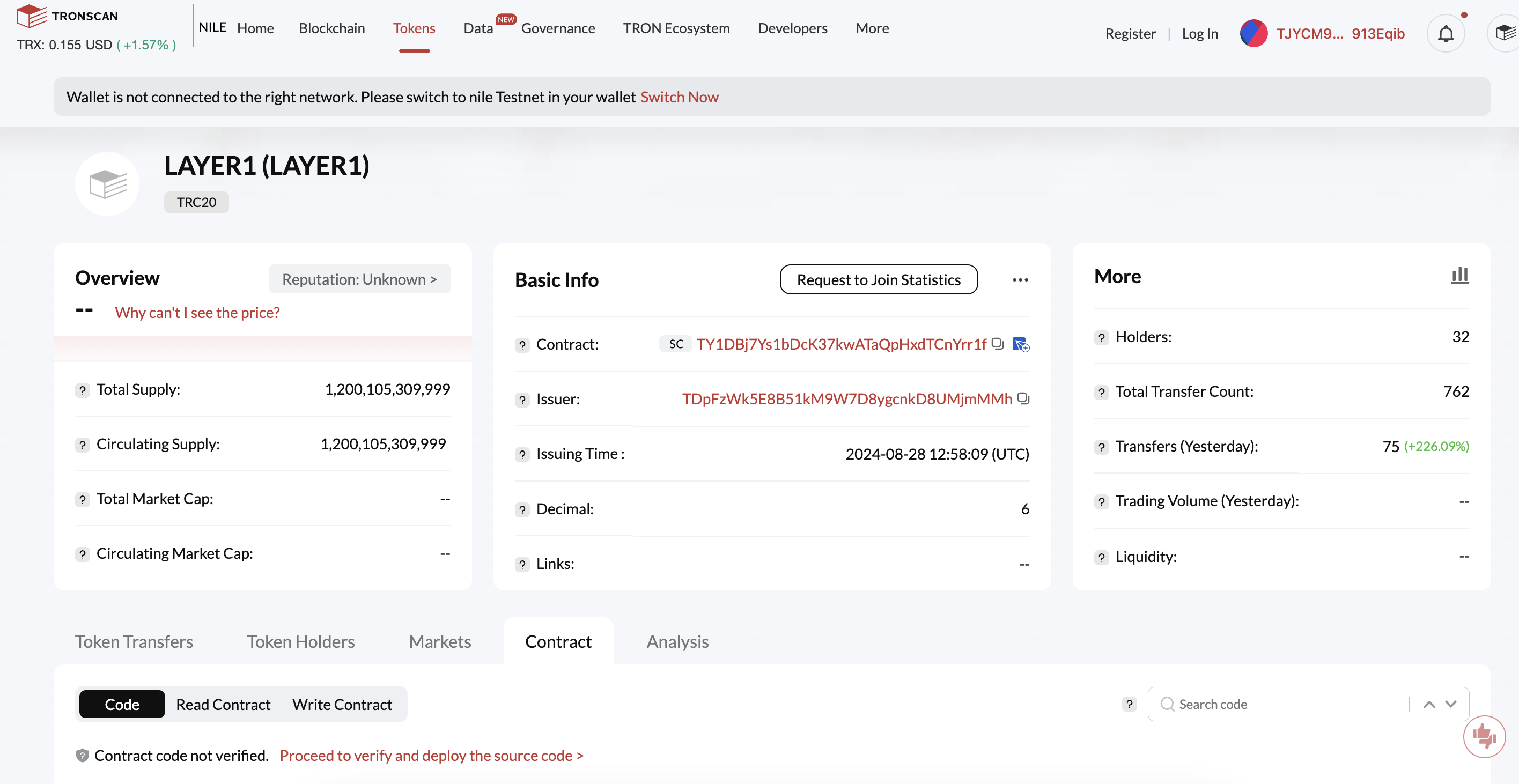
Opening the LAYER1 write contract
- Find the MINT function, enter the amount of tokens you would like (we recommend
50000) and click Send.
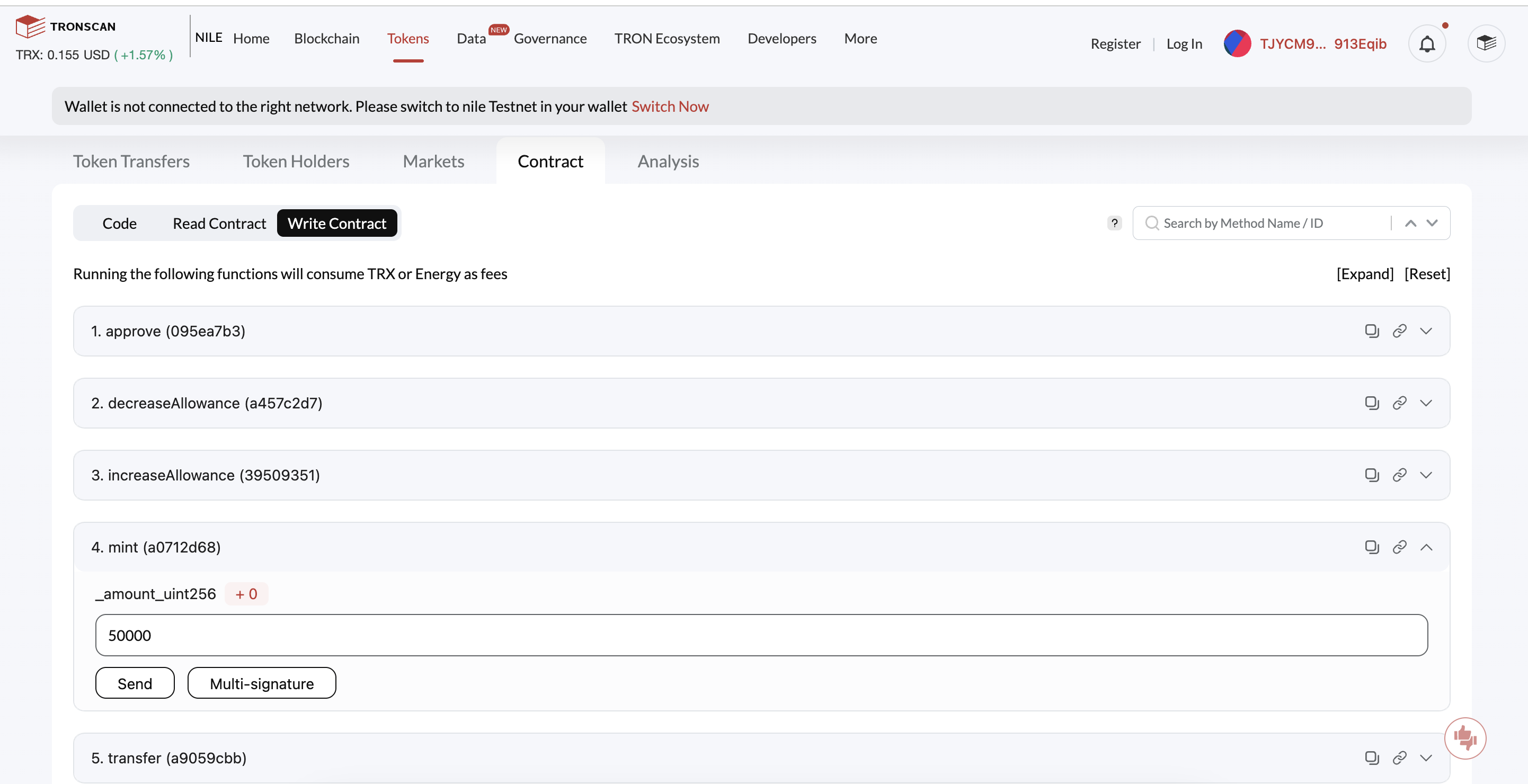
Minting LAYER1 tokens
- Once the transaction confirms, open your TronLink wallet and click the
+next to Assets to add the token to your wallet.
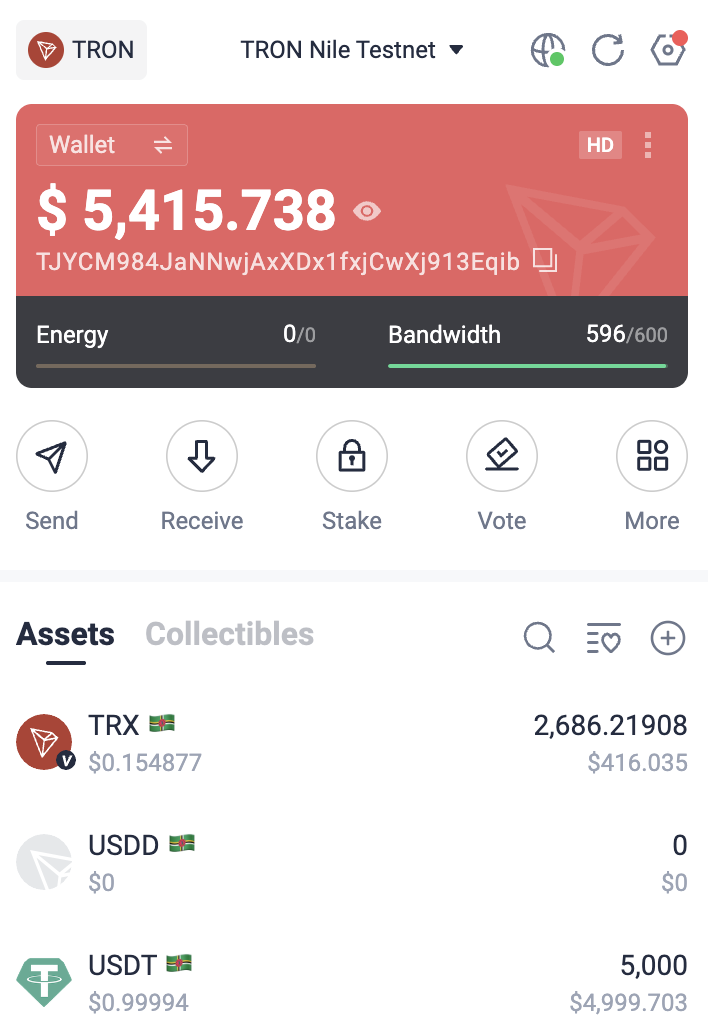
Adding a new asset in TronLink
- Select LAYER1 from the list.
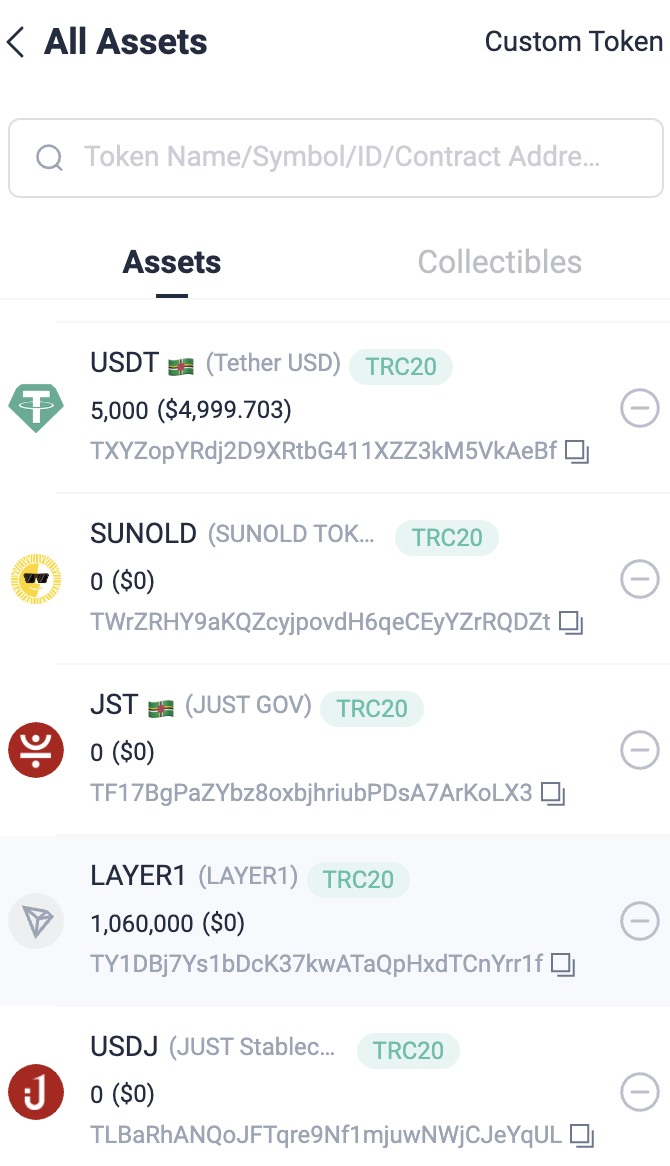
Selecting LAYER1 in TronLink
- Done. You now have BEEM LAYER1 USDT (TRC20) testnet tokens in your TronLink wallet, ready for sandbox transactions.
What's next
Updated 5 months ago
Did this page help you?