Jump to Content
BEEM
GuidesAPI ReferenceDiscussions
v1.0

Log InBEEM
Guides
Log In
v1.0GuidesAPI ReferenceDiscussions

Documentation

  • Getting Started with BEEM
  • Authentication
  • Adding your Public Key and Whitelisted IP's
  • Adding Users
  • Creating a Wallet
  • Creating a Channel Manually
  • Webhooks
    • Webhook Body (Events, Source and Data)
    • Creating a Webhook Listener
  • Testing your Integration
    • Setting Up a MetaMask Wallet
      • Adding USDT (ERC20)
    • Setting up a TronLink Wallet
      • Adding TRON (TRX)
      • Adding USDT (TRC20)
  • Supported Assets and Protocols

Use Case Guides

  • Checkout for Digital Asset Payments
    • Payment In
      • (Optional) Pre-selecting the Digital Asset to pay
      • Directing the End-User to Pay
      • Handle Payment In Exceptions
      • Listening for Payment In Webhooks
    • Payout
      • (Optional) Pre-selecting the Digital Asset to receive
      • Directing the End-User to Payout
      • Listening for Payout Webhooks
  • Adding Crypto Top Ups
    • Creating a Channel via the API
    • Listening for Channel webhooks
  • Error and Warning Dictionary
Powered by 

Adding TRON (TRX)

  1. You must add Testnet TRON to your TronLink Wallet before adding other Tron Tokens to activate your TronLink Wallet.
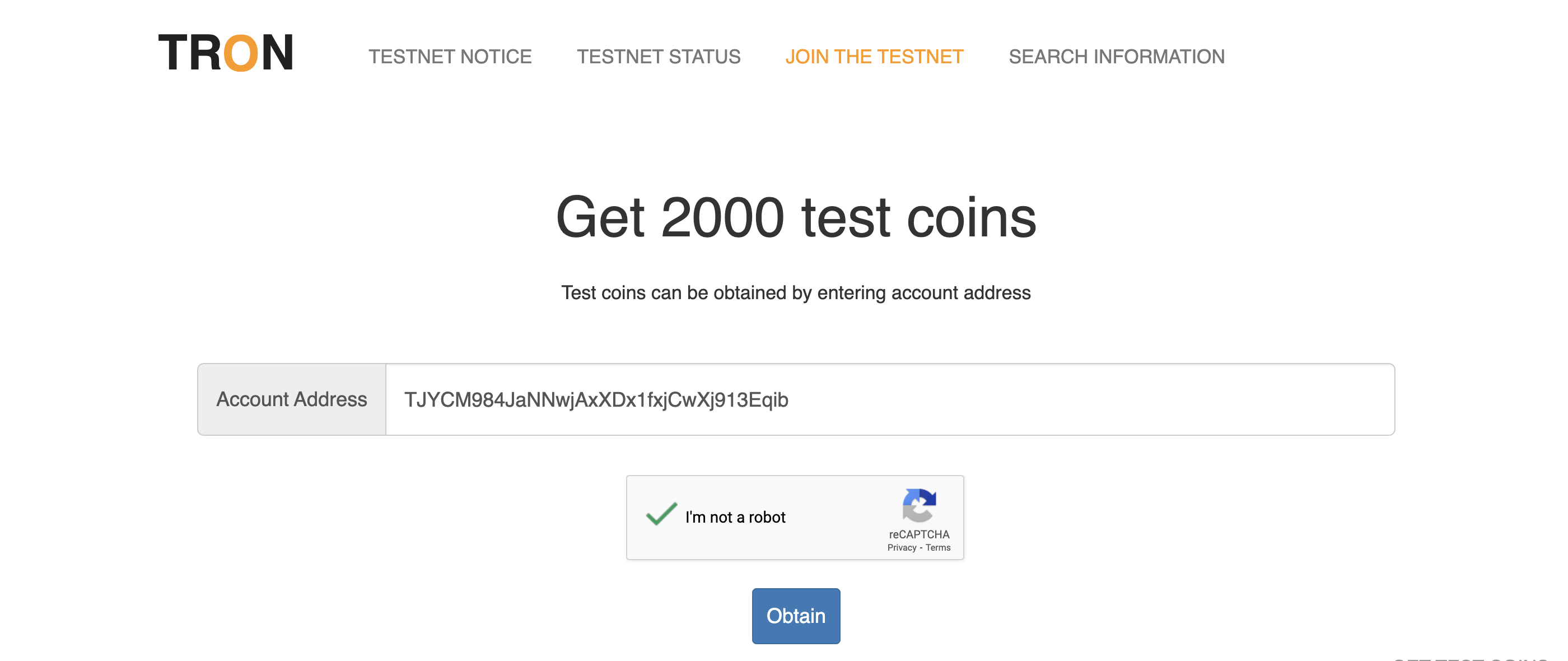
  2. Go to the Nile Tron page which is a faucet to receive 2000 Test TRON.
  3. Enter your TronLink Wallet address and click "Obtain".

Updated about 1 year ago


Setting up a TronLink Wallet
Adding USDT (TRC20)